April Update - MobiFlight 11, 5 New Aircraft Profiles, Updates
Welcome to the April Update from Circuit Avionics!
We are going to cover:
MobiFlight 11 - major update, what it means for you
New Aircraft Profiles
Updated Aircraft Profiles
MobiFlight 11
MobiFlight 11 brings some significant improvements, and we're excited for our customers to get their hands on it.
Here's what's new and relevant to you:
Auto-binding of controllers - MobiFlight 11 automatically binds your hardware controllers, so there's no longer any need to manually assign your Aircraft Profile to your devices. This is especially helpful for new users.
Modern user interface - The UI has had a thorough refresh, with better filtering, sorting, and drag-and-drop support. More information is now surfaced at a glance, there's a new notifications system, and you can choose between light and dark themes.
Better internationalisation - MobiFlight 11 has improved language support, with more languages on the way.
Backwards compatible - Importantly, MobiFlight 11 is fully backwards compatible with MobiFlight 10. Your existing Aircraft Profiles will carry forward without any issues.
File Format Change - MobiFlight 11 introduces a new file format: .mfproj replaces the previous .mcc format. If you open an existing .mcc Aircraft Profile in MF11, it will be automatically converted - no action needed on your part.
For now, we will continue supplying files in .mcc format, so they remain compatible with both MobiFlight 10 and MobiFlight 11 users.
How to Get MobiFlight 11
MobiFlight 11 should offered as an automatic update when run the program.
You may also find the download link at our Getting Started support page.
You can check your version number in the title bar at the top of the program window.
How to Use MobiFlight 11
This information is meant for existing customers who are already using MobiFlight 10. If you're new here, instead check out Getting Started.
MobiFlight 11 works broadly the same as its predecessor.
However, there are two areas which we would like to point out to users:
Opening an Aircraft Profile
This is similar to previous, beginning with the menu action File -> Open.
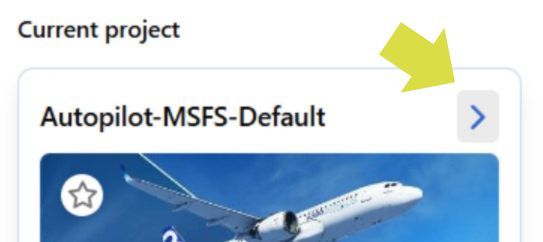
Once the profile is opened, you may click the > button to enter the Aircraft Profile.
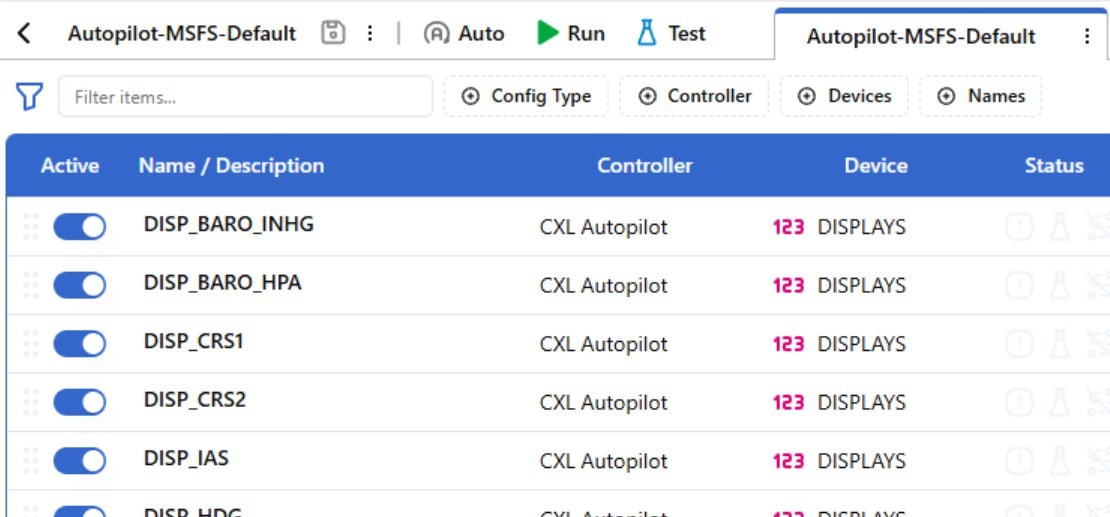
Now you can see all the functions of the Aircraft Profile:
The profile is then Run, the same as before.
Controller Bindings
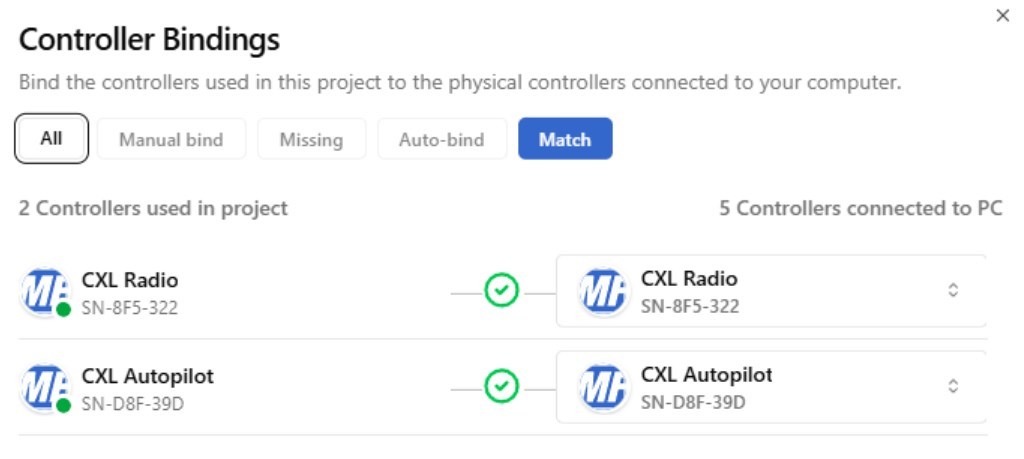
Did you notice, it was not necessary to Assign the Aircraft Profile to your hardware? This is a great new feature of MobiFlight 11. MobiFlight now use the term Controller Bindings, and they're handled automatically, although they can be adjusted if needed.
Using the menu option Extras -> Controller Bindings, we can access the Controller Bindings window:
This shouldn't be necessary, but we're letting you know about this window, just in case.
Managing Multiple Devices
For users who with more than one device (e.g. Circuit Avionics Autopilot and Radio Stack), it's now significantly simpler to run two or more devices simultaneously. Please check out Managing Multiple Devices.
Want to Know More?
Sebastian from the MobiFlight team has put together a great video walkthrough.
As always, if you have any questions about these changes, we'd love to hear from you. Join us on Discord or use the Support link at the top of this page.
Aircraft Profiles
If you have any requests, please add them to the #profile-request page over on our Discord server. It's the best way to gauge demand for aircraft to add in the future.
New Aircraft Profiles - Autopilot
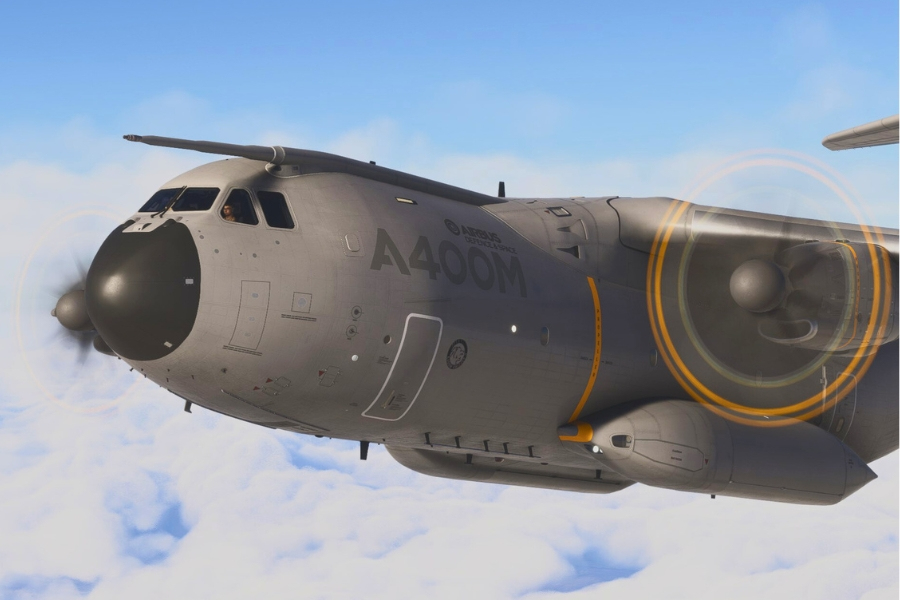
FS2024 - Microsoft / iniBuilds A400M
The Airbus A400M Atlas is a four-engine turboprop military transport aircraft, operated by several European air forces for tactical and strategic airlift missions.
With its distinctive contra-rotating propellers and cavernous cargo hold, the A400M bridges the gap between tactical battlefield transport and long-range strategic airlift - capable of delivering heavy equipment to unprepared airstrips that larger jets couldn't reach.
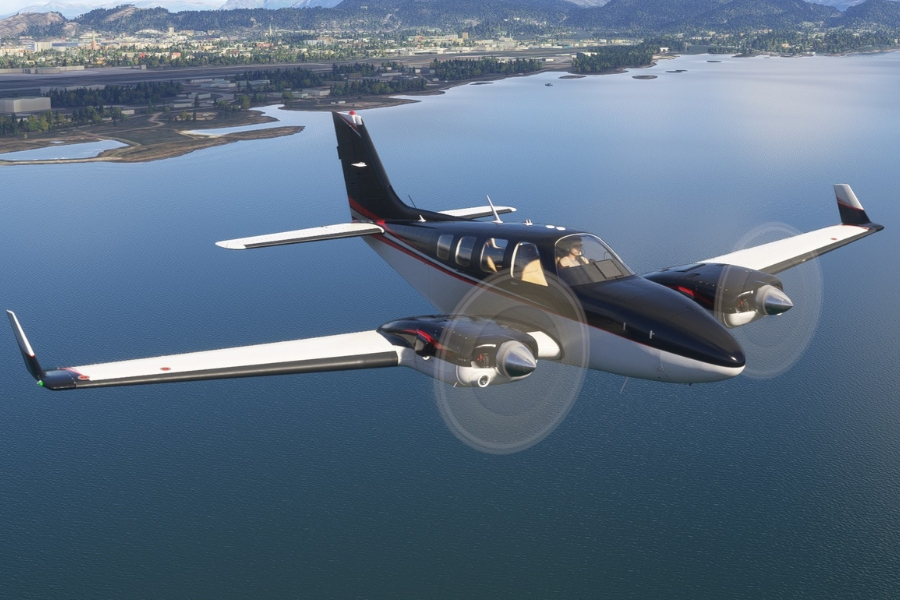
MSFS - Black Square Baron Professional
The Beechcraft Baron 58 is a twin-engine piston aircraft beloved by pilots for its balance of performance, range, and handling. A stalwart of general aviation since the 1960s, it remains a popular choice for private travel, air taxi operations, and multi-engine training. The package includes three variants: the normally aspirated B58, the turbocharged B58TC, and the pressurised B58P.
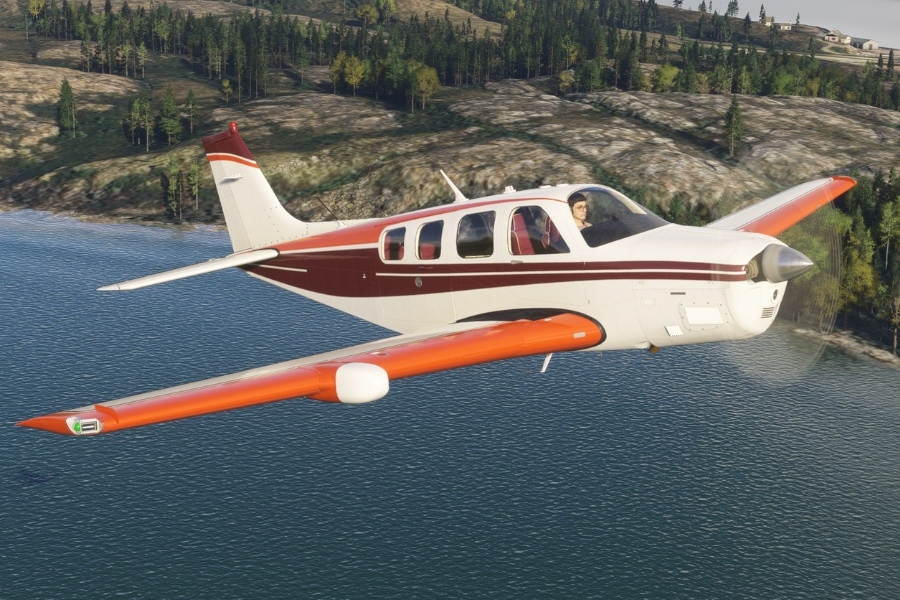
MSFS - Black Square Bonanza Professional
The Beechcraft Bonanza is one of the most iconic names in general aviation — in continuous production since 1947, it holds the record as the longest-running aircraft model in history. The Black Square Bonanza Professional for MSFS covers three variants: the A36, A36TC, and B36TP.
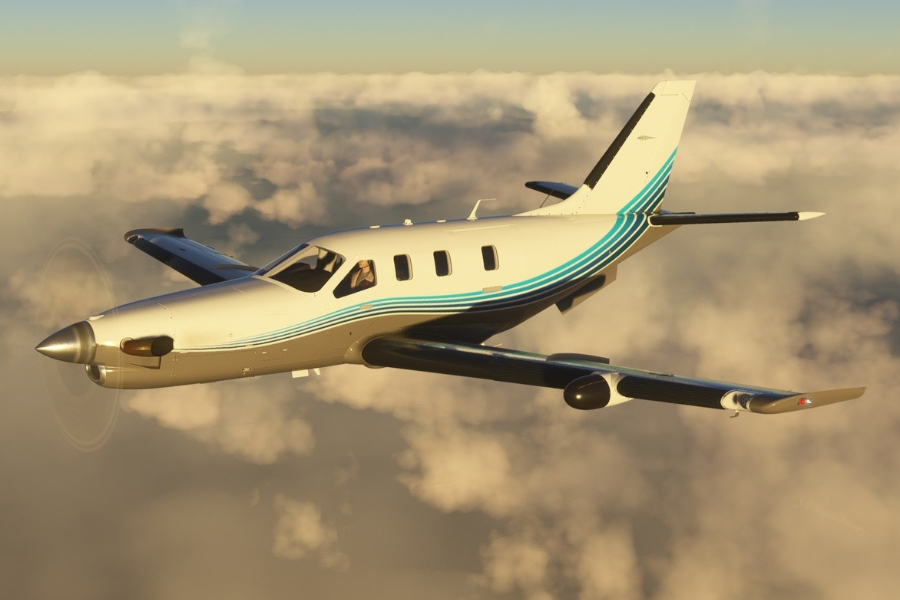
MSFS - Black Square TBM850
The TBM850 is a single-engine turboprop built by Daher-Socata, certificated for single-pilot operation and capable of cruising at around 320 knots. It evolved from the TBM700, gaining a more powerful Pratt & Whitney Canada PT6A-66D engine and a Garmin G1000 glass cockpit when it launched in 2006. The combination of turboprop efficiency, jet-like speed, and the ability to operate from shorter strips makes it an unusual aircraft - there isn't much else in its category.
About Black Square
Black Square has built a reputation for some of the most systems-accurate aircraft in MSFS, with deep simulation of real-world complexity. Starting with classic analogue types, their catalogue has since grown, but the same attention to detail runs through all of them.
New Aircraft Profiles - Radio
FS2024 - Microsoft / iniBuilds A400M
The iniBuilds A400M is not compatible with the default MSFS profile, so we've put together a dedicated Aircraft Profile to get everything working correctly.
Updated Aircraft Profiles - Autopilot
X-Plane - FlightFactor Boeing 777
Improved FD1 FD2
Fixed AT
Updated Aircraft Profiles - Radio
MSFS - Default Profile
Fixed incorrect binding of COM 1 Whole Left (fast)
Worldwide shipping is available. All customs charges and fees are included in the final price.
This is a promotional link for which we may receive a small commission from eBay.
What makes Circuit Avionics products special?
Versatile - Our hardware is intended for most aircraft types on all major platforms
Download an Aircraft Profile to configure the device for your aircraft - whether that's one of the stock aircraft, or a complex add-on
Programmable - You have control over all the functions
From adjusting a single display or knob, to creating a whole new Aircraft Profile - that's completely within your grasp! We use the powerful, open-source MobiFlight software to make all this possible
Quality - sturdy steel construction and powder coated finish
You'll appreciate the adjustable brightness displays with glare filter, long-life mechanical components, detented knobs that give tactile feedback, anti-slip feet for your desktop... and much more
Support - Help that's personal to you
We combine online resources with responsive one-on-one support by email, telephone or screen-share to keep you flying smoothly. Our Discord channel is a great way to reach out for help.